Create a question
Owners, administrators and teachers can create and edit questions. In the editor, write the question text, choose its format and add the answer information required by that format. For an MCQ, enter the options and mark the correct option. For fill-in or short-answer formats, record the correct answer.
You can also add an explanation for the answer key, difficulty, marks, visibility, curriculum classification, topics, a question profile, Bloom’s cognitive level, source and tags.
Classify for future reuse
Good classification is what turns a folder of questions into a usable bank.
- Curriculum: choose the most specific relevant leaf. Add more than one curriculum link only when the same item genuinely belongs in each.
- Topics: select the content actually tested.
- Difficulty: judge the expected challenge for the intended learners.
- Question profile: use the shared profile rather than inventing a new label.
- Bloom’s level: record the cognitive demand, not merely the wording of the verb.
- Source and tags: add information your team will search for later.
Record source appearances
When a question appeared in an earlier assessment, record the authority and the assessment details available to you, such as name, year, session, paper code and source type. This helps staff recognise provenance and avoid accidental overuse.
Only store material your organisation is permitted to use. Do not treat a source citation as permission to reproduce protected content.
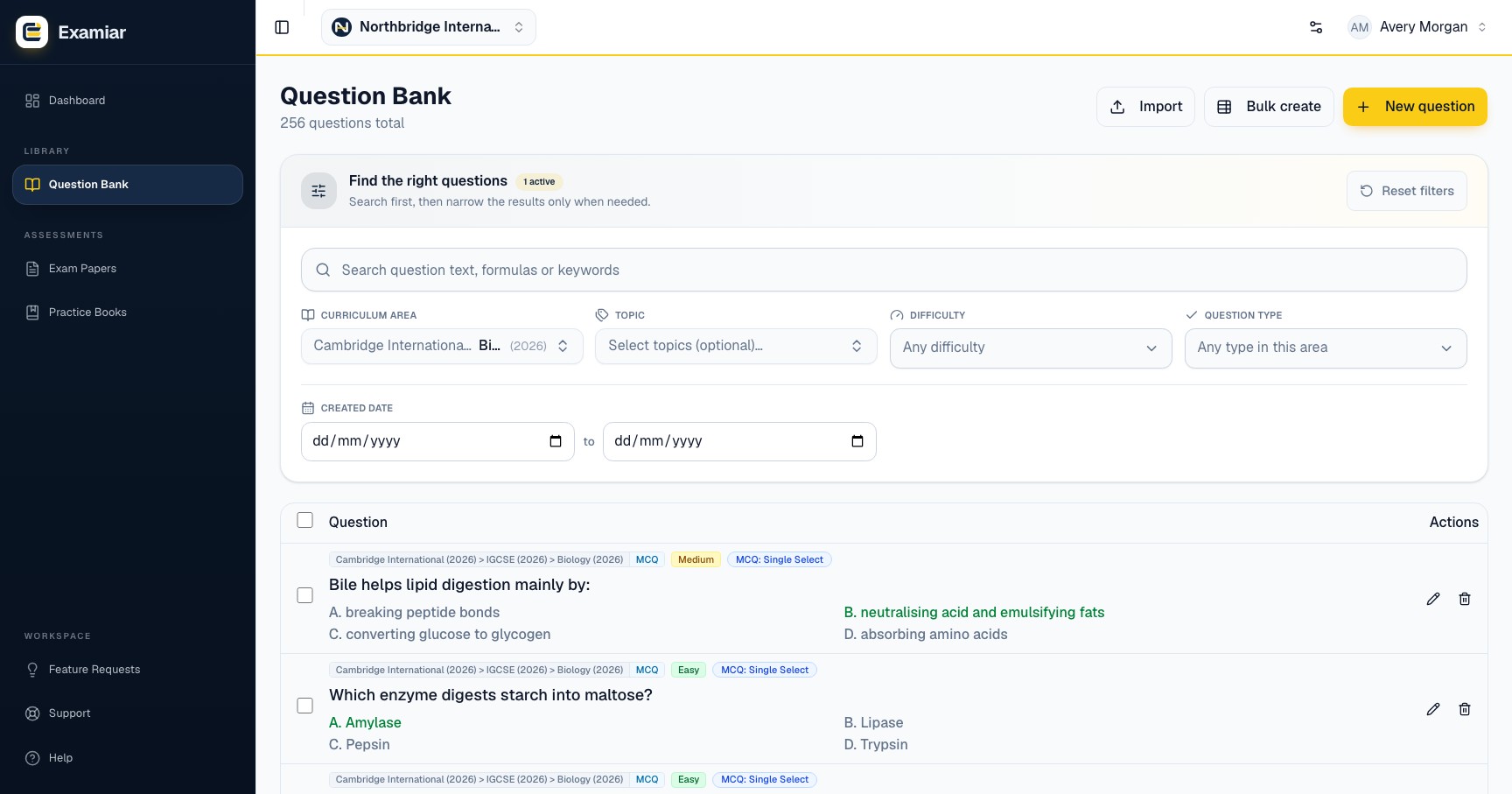
Find and manage questions
Use search and filters for curriculum, topic, difficulty, profile or type, and date. Depending on your role, selected questions can be exported to CSV or Word, moved in bulk, assigned a difficulty or deleted. Owners and administrators can delete; composer access is limited to creating and exporting exam papers.
Question quality checklist
- The wording is clear and contains everything needed to answer.
- The stored correct answer is accurate.
- MCQ distractors are plausible without being deceptive.
- Marks match the expected work.
- Curriculum, topics, profile and difficulty are correct.
- The explanation is useful when an answer key needs teaching value.
- Source information is recorded where relevant.
Open the relevant workspace area and put this guide into practice.