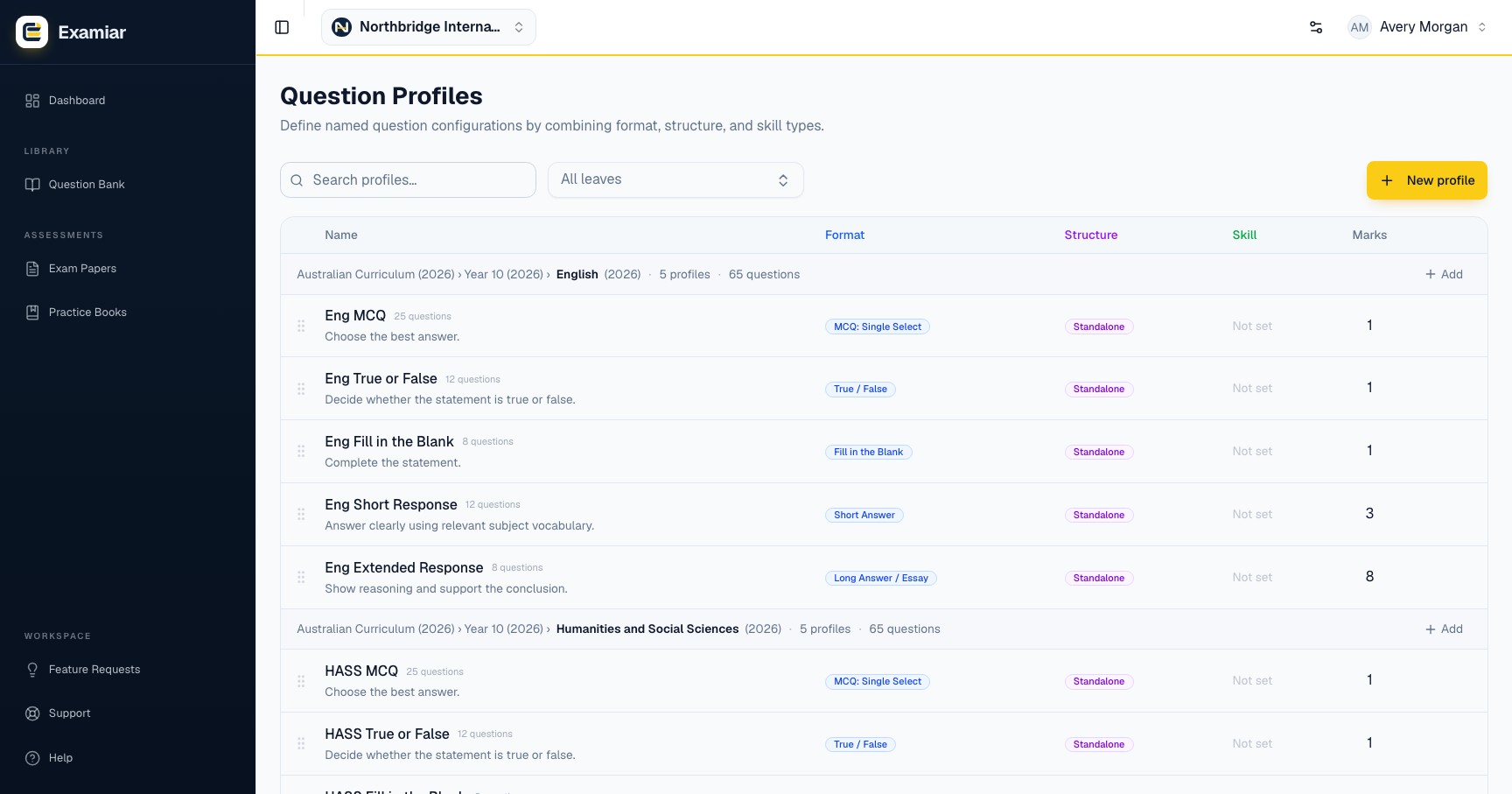
What a question profile means
A question profile is your organisation’s named version of a question format within a curriculum context. It combines the structure your team recognises with a typical mark value, making question entry and exam patterns more consistent.
Create a profile
- Open Question Profiles.
- Select the relevant curriculum leaf.
- Choose the underlying format or structure.
- Give the profile a short, recognisable name.
- Set the usual marks and save.
Owners, administrators and teachers can manage profiles. Create only profiles that staff will genuinely select.
Useful profile examples
| Profile | Use | Typical distinction |
|---|---|---|
| Single-best-answer MCQ | One correct option | Fast objective marking |
| Short response | Brief constructed answer | Tests recall or a concise explanation |
| Extended response | Longer written answer | Tests reasoning, evaluation or method |
Use names that describe your institution’s actual assessment practice; the table is illustrative, not a required set.
Continue in Examiar
Open in ExamiarOpen the relevant workspace area and put this guide into practice.