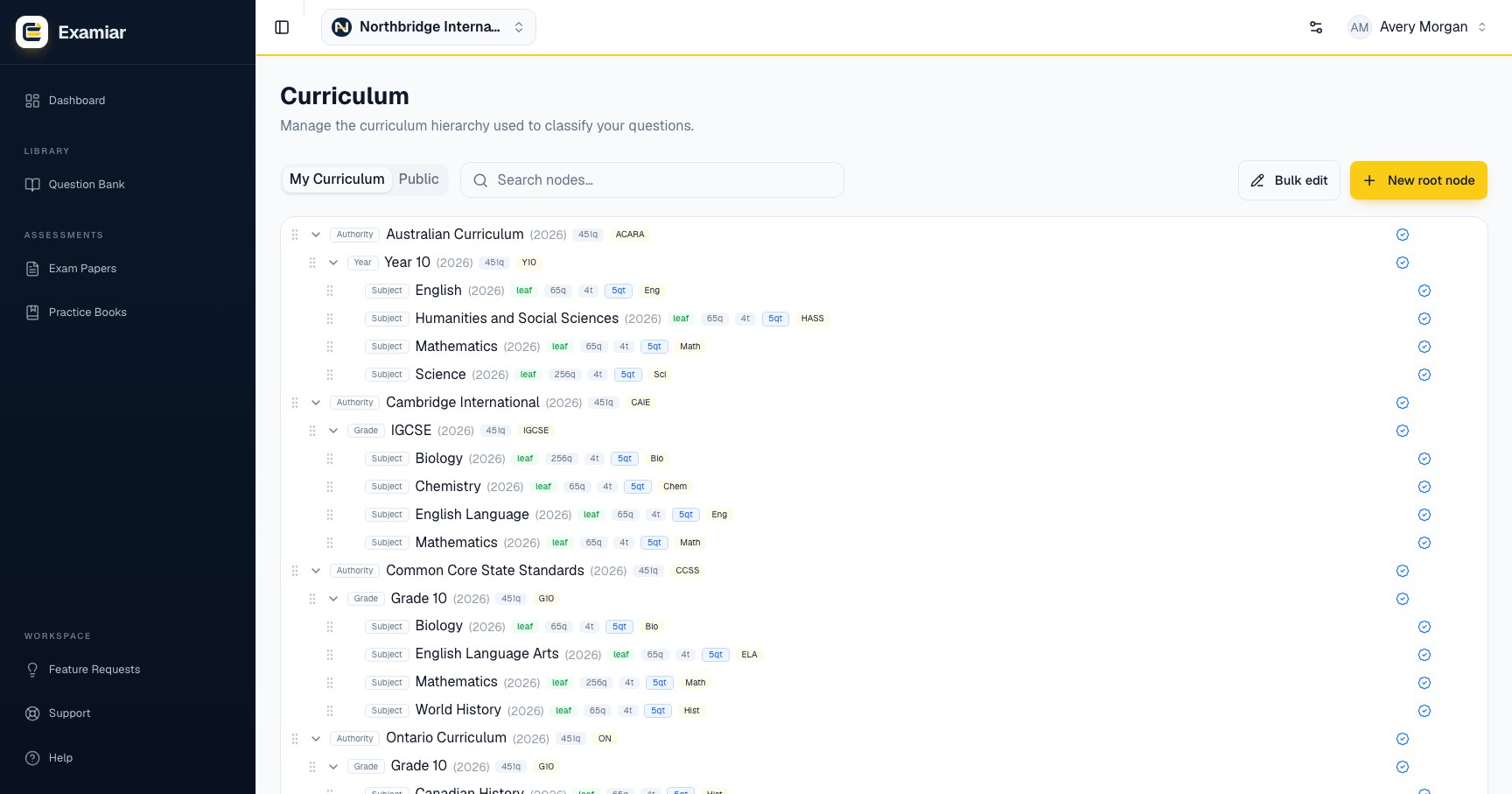
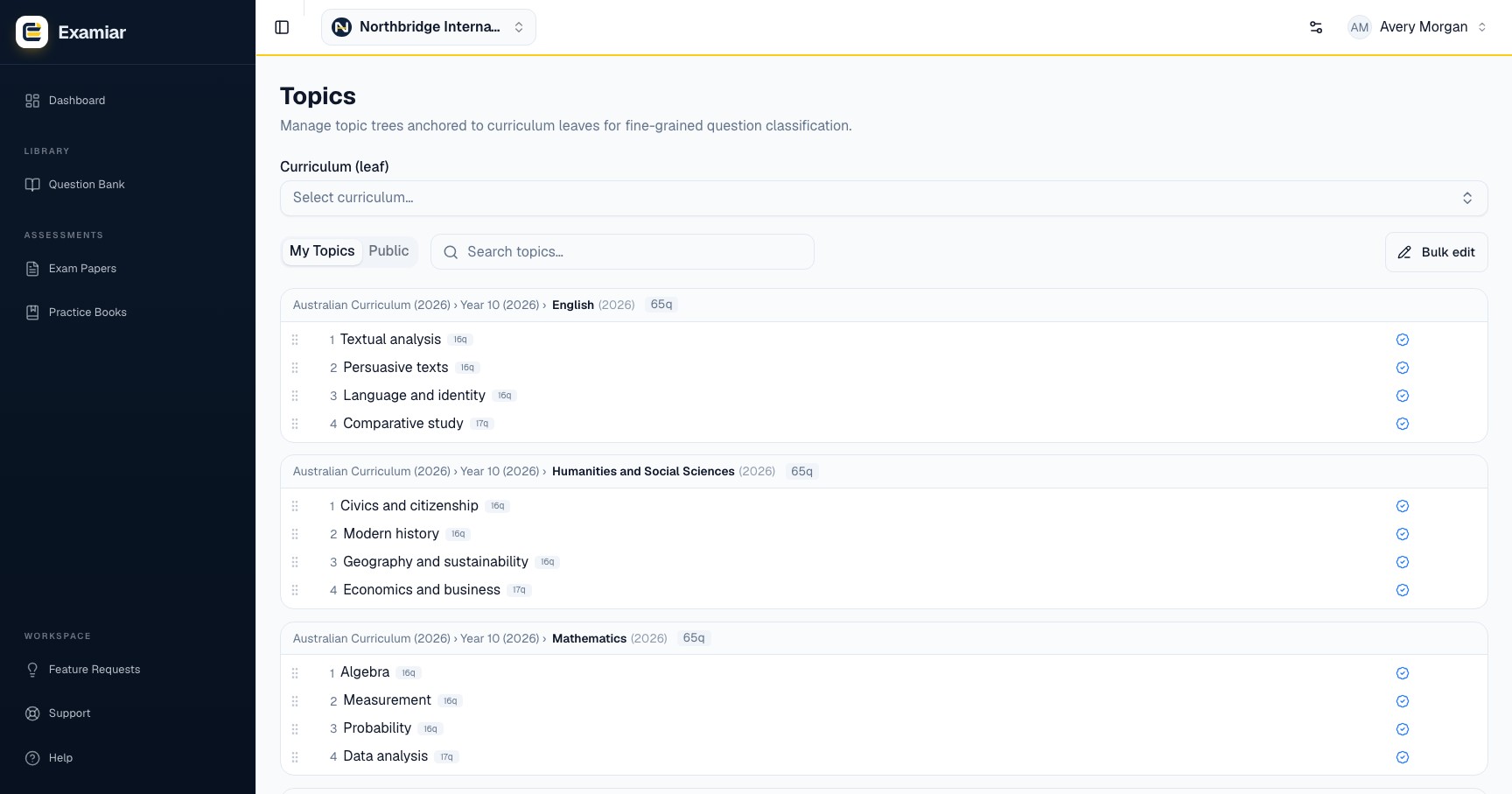
Curriculum and topics serve different jobs
Curriculum records the formal teaching structure, such as board, programme, level, grade and subject. Topics describe the teachable content inside a subject, including main topics and subtopics.
A question is classified against a curriculum leaf. Its topic choices then provide more precise coverage and filtering.
Create the curriculum hierarchy
- Open Curriculum.
- Choose your organisation’s curriculum rather than a public option when you need a custom structure.
- Create levels from broad to specific.
- Continue until the final selectable item represents the subject or course against which questions should be stored.
- Repeat the pattern consistently for the remaining subjects.
Plan before building
Write down the hierarchy first. Renaming is manageable; reorganising hundreds of already-classified questions is not.
Add topics and subtopics
- Open Topics.
- Select the correct curriculum leaf.
- Add the main topics taught in that subject.
- Add subtopics only when the distinction will help question selection or reporting.
- Use the same wording your teaching team uses in schemes of work.
Keep the structure usable
- Avoid duplicate topic names at the same level.
- Do not use difficulty labels such as “easy” as topics; difficulty has its own field.
- Avoid creating a subtopic for a single question.
- Ask a second teacher to review the structure before a large import.
Continue in Examiar
Open in ExamiarOpen the relevant workspace area and put this guide into practice.